Run Overview
The full run overview opens from the run name or the Open row action.
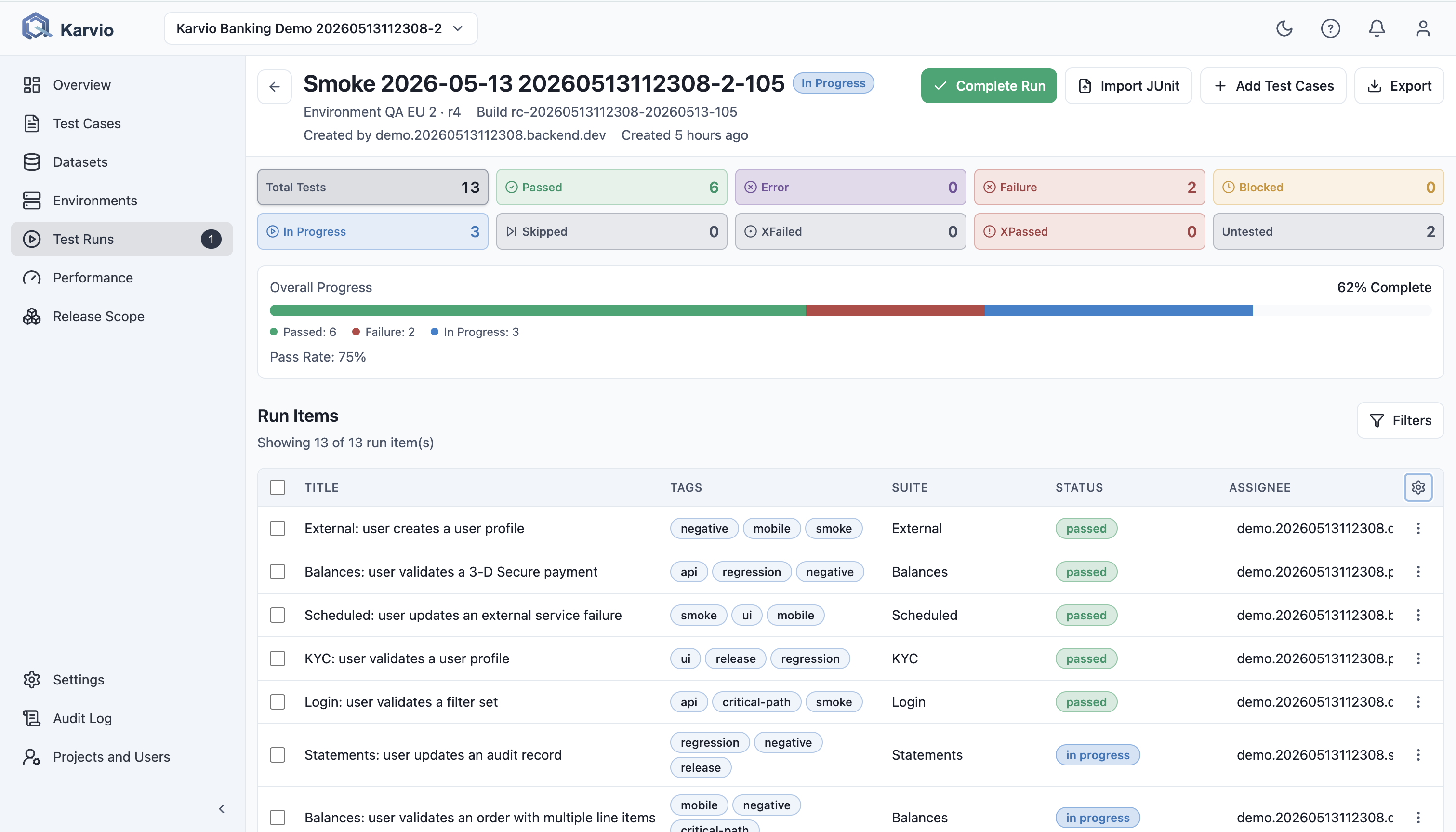
Header Overview
The header shows:
- run name;
- current status badge;
- environment and revision;
- build;
- creator;
- relative creation time.
Header actions include lifecycle transition, Import JUnit, Add Test Cases, and Export.
Add Test Cases and Import JUnit are available only for not_started and in_progress runs. Completed and archived runs block run item updates.
Export
Export supports:
- JSON for downstream processing;
- PDF for human review and sign-off;
- XML for exchange with external systems.
The report includes run metadata, summary, status breakdown, and execution data.
Status Cards and Progress
The overview shows cards for total, passed, error, failure, blocked, in progress, skipped, xfailed, xpassed, and untested.
Clicking a status card filters the run items table. The progress bar is based on run item status breakdown. If planned_item_count exists, progress uses planned scope; otherwise it uses loaded run items.
Run Items
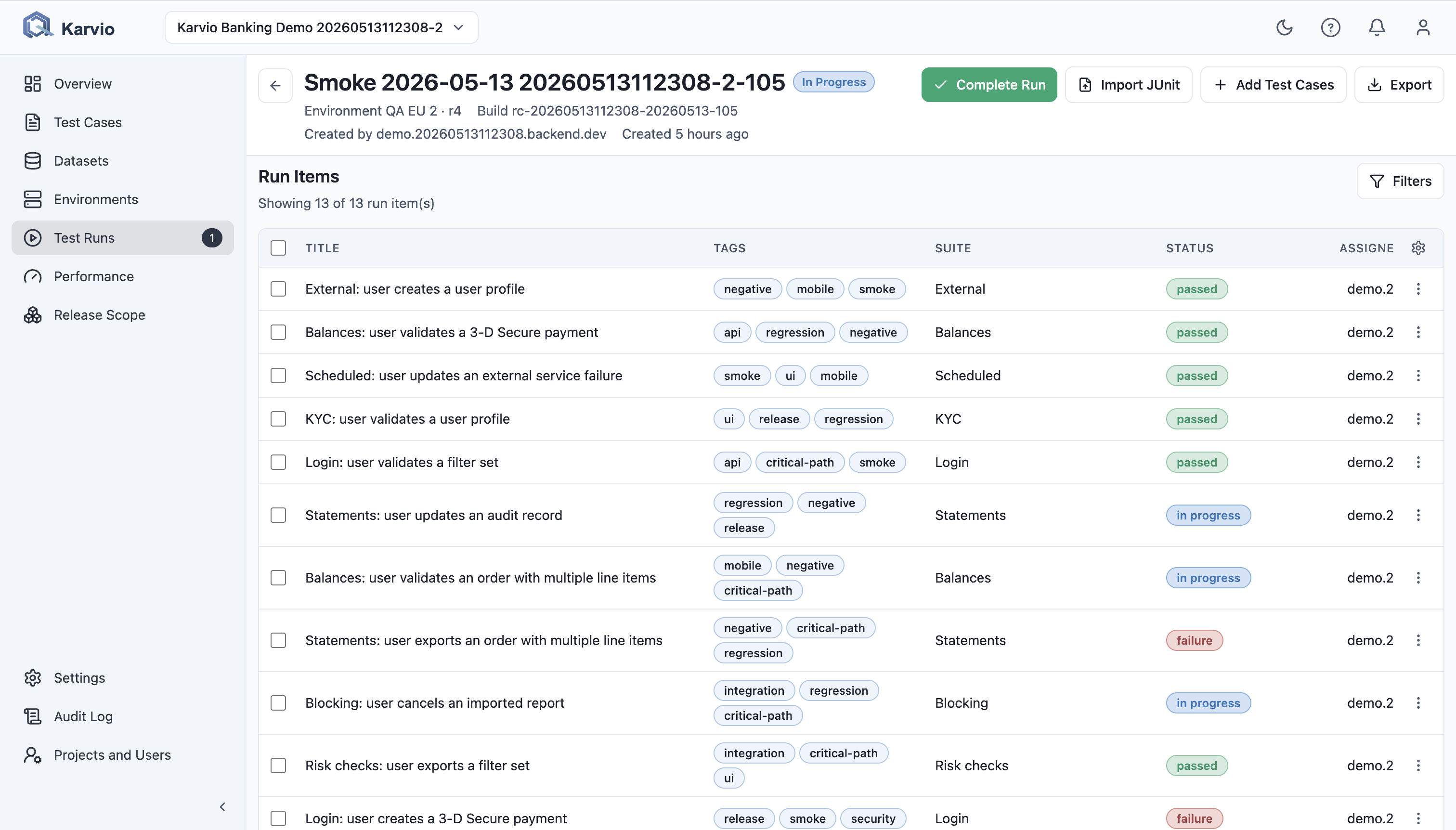
Run Items is the table of test cases inside the run.
Toolbar and Filters
The toolbar shows loaded count, search, status filters, assignee filters, clear filters, and bulk actions.
Columns
| Column | Shows |
|---|---|
Title |
Test case title. |
Tags |
Test case tags. |
Suite |
Test case suite. |
Status |
Current aggregate run item status. |
Assignee |
Execution owner. |
Last Executed |
Latest result timestamp. |
Row Actions
Run item actions include:
Open Details;Open test case;Add Result;Remove.
Add Result and Remove are disabled for completed and archived runs.
Add Test Cases to an Existing Run
Add Test Cases opens a modal with active cases not already in the run. Users can search, select individual cases, select all filtered cases, clear selection, load more, and add the selected cases.
Run Item Details
The side panel shows the execution snapshot for a run item.
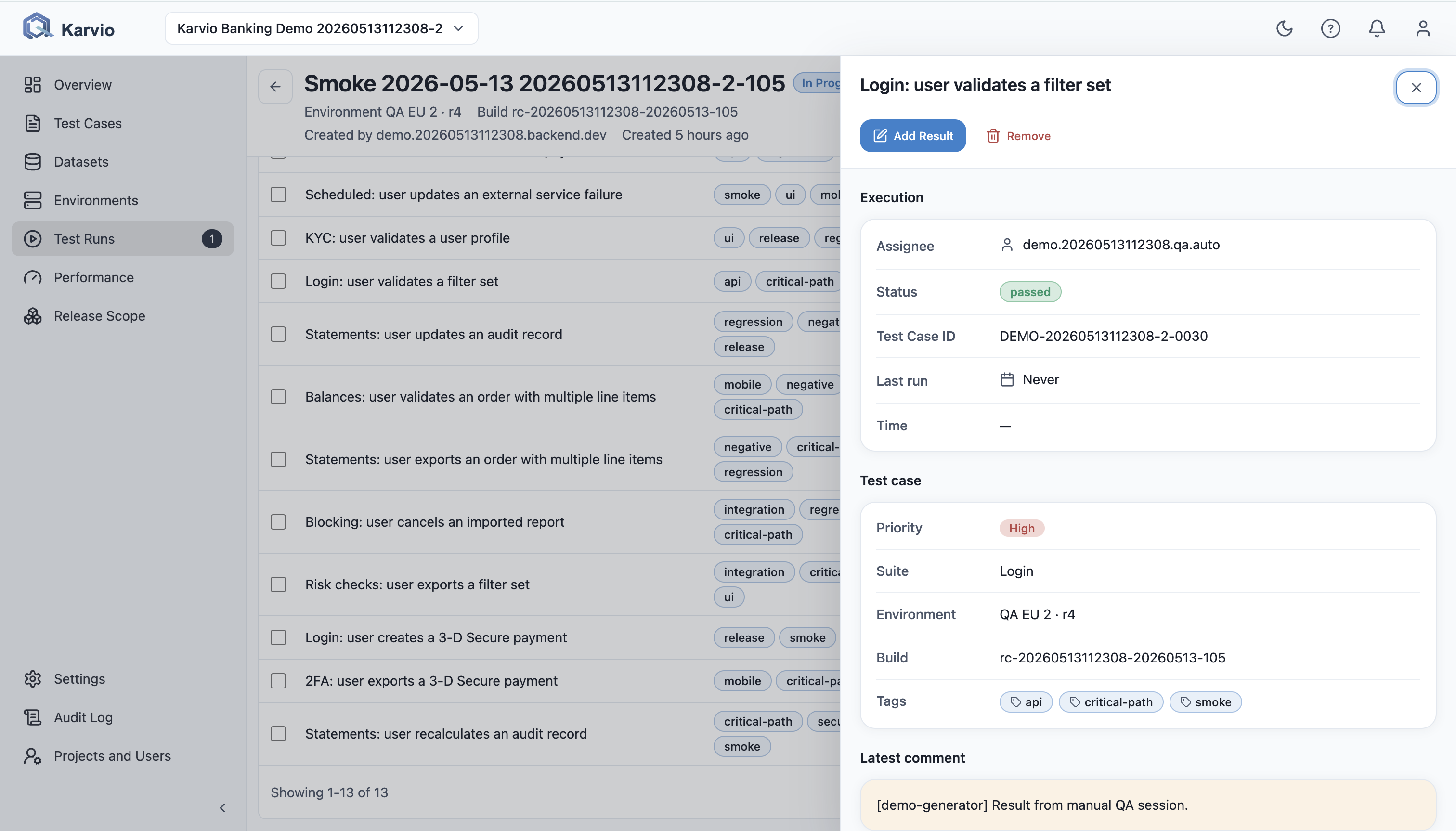
Execution
Shows assignee, current status, test case key, last run timestamp, time, and latest comment.
Test Case Snapshot
Shows priority, suite, environment, build, tags, and frozen test steps.
External Issues
Shows linked Jira issues, status snapshot, URL, and unlink action when permitted.
Execution History
Shows each result transition with timestamp, executor, duration, defect IDs, comment, stdout, and stderr.