Components
Components represent technical or functional areas inside products. They carry risk metadata and coverage requirements so release planning can focus on impact.
Component List
The Components tab supports search, risk filters, status filters, column visibility, server-side pagination, details side panel, create, edit, archive/activate, and delete after confirmation.
Core Fields
| Field | Description |
|---|---|
Name |
Human-readable component name. |
Key |
Short reporting identifier. |
Type |
Functional, service, UI, infrastructure, data, or custom type. |
Risk Level |
low, medium, high, or critical. |
Required Coverage Score |
Target coverage score for readiness. |
Owner |
Optional responsible person or team. |
Tags |
Labels for filtering. |
Description |
Purpose and boundaries. |
Risk Context
Risk should reflect release impact, defect history, complexity, dependency criticality, and operational exposure. High and critical risk components should have stronger coverage and clearer ownership.
Component Details
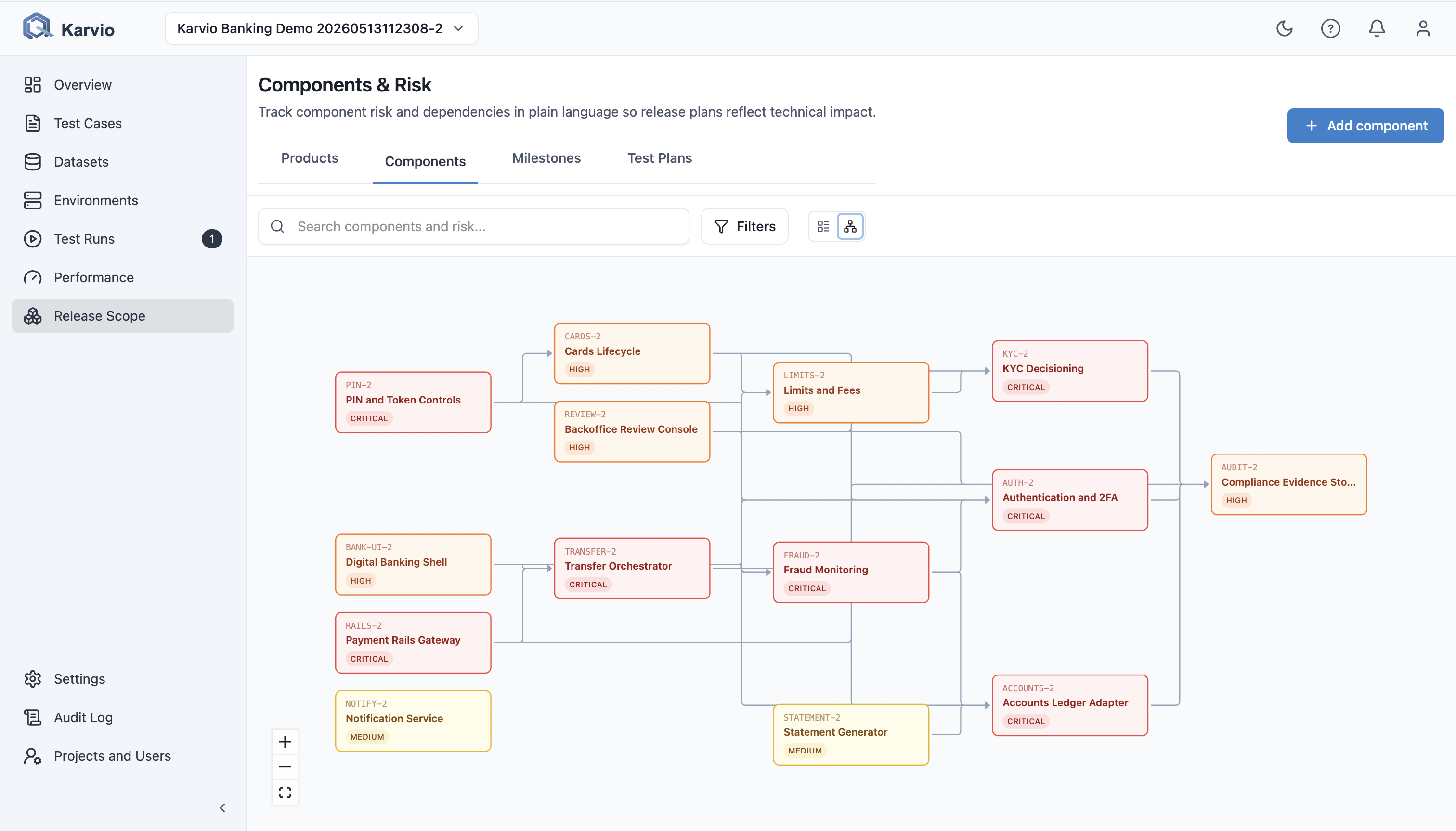
The details side panel shows metadata, risk summary, linked products, coverage metrics, related test cases, and dependency graph context.
Dependencies
Component dependencies describe upstream and downstream relationships. They help explain why a lower-level service can affect a product-level release decision.
Practices
- Model components at a level where ownership and risk are meaningful.
- Avoid components that are too small to manage or too broad to test.
- Keep risk fields current during release planning.
- Link test cases through component coverage instead of relying on tags alone.