Create and Edit Datasets
Use New Dataset to open a two-step wizard: metadata first, then table data.
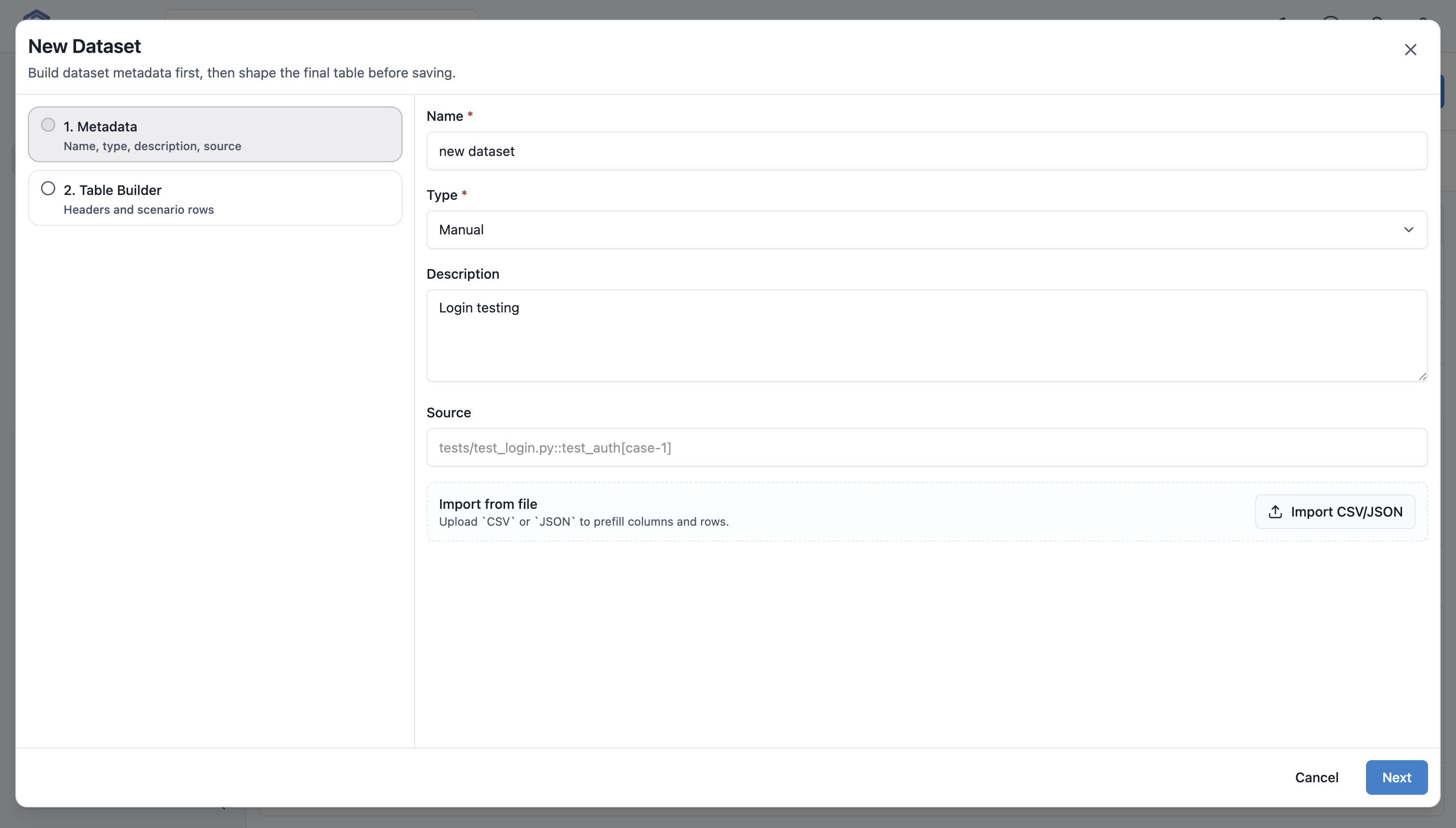
Metadata Step
| Field | Required | Description |
|---|---|---|
Name |
Yes | Human-readable dataset name. |
Type |
Yes | Manual, Pytest Parametrize, or Imported. |
Description |
No | What the data covers and how it should be used. |
Source |
No | Reference to file, test, story, or external system. |
Import CSV/JSON
The metadata step can import CSV or JSON. Importing:
- reads headers as future columns;
- creates rows from file records;
- suggests name and source ref from the filename when empty;
- changes source type to
Imported; - reports imported row and column counts.
Use import when data already exists in a spreadsheet, automation fixture, BI export, or production-like source.
Table Builder
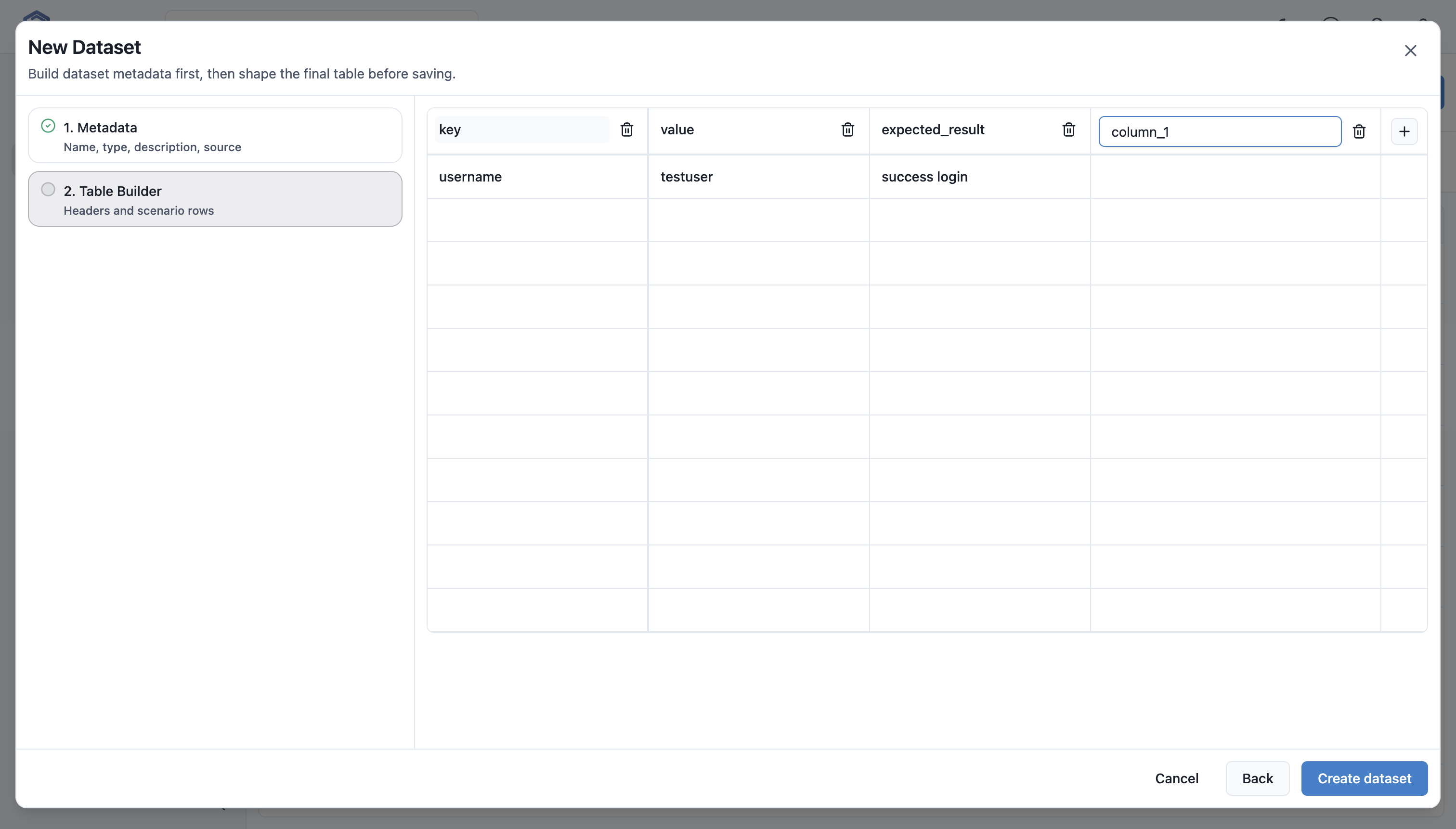
The Table Builder is a spreadsheet-like editor. Users can:
- edit headers by clicking column names;
- edit cells inline;
- add columns from the header;
- delete columns;
- add rows below the current row;
- delete rows;
- move through cells with
EnterorTab; - cancel inline editing with
Escape; - work with large tables through virtual scrolling.
Validation
The editor enforces:
- at least one column;
- at most 10 columns;
- at least one row;
- non-empty headers;
- unique normalized headers;
- unique non-empty row keys.
Columns
Each API column has:
column_key;display_name;data_type;required;default_value;is_scenario_label.
The UI generates column_key from the header. Renaming a header moves row values to the new key.
Rows
Each API row has:
row_key;scenario_label;values;is_active.
The UI shows cell values. Detailed row metadata is available through the API payload.
Dataset Details
Opening a dataset shows name, id, source type, status, linked cases, current revision, column and row counts, source ref, updated timestamp, description, and current revision table.
Edit Dataset
Editing uses the same wizard with existing values. Saving creates a new revision when structure or rows changed.
Delete and Bulk Delete
Deleting removes the dataset from the project and removes all test case bindings. Prefer revisions over deletion when historical context matters.