API Reference
Karvio provides a REST API for CI/CD integrations, automation result imports, release scope management, custom reporting, and internal tooling.
Use this section when you need exact endpoints, query parameters, payload examples, or integration behavior. User-facing workflow documentation stays in the User Guide; API-specific details are collected here.
Base URL
All endpoints in this reference are relative to:
For local development this is typically:
Authentication
All API requests require authentication. Use an API key for scripts, CI jobs, importers, and other automation.
See Authorization for API key creation, storage, rotation, and request examples.
Browser requests made from an authenticated Karvio session can use the existing session cookie.
Request Format
- JSON endpoints use
Content-Type: application/json. - Upload endpoints use
multipart/form-data. - Dates and timestamps use ISO 8601.
- Project-scoped list endpoints usually take
project_idas a query parameter. - Create endpoints usually take
project_idin the JSON body. - Resource-specific operations usually derive project scope from the resource id.
Pagination
List endpoints return paginated responses. Most project resources support:
| Parameter | Description |
|---|---|
page |
1-based page number. |
page_size |
Items per page. Many TMS endpoints support up to 200; some row-level endpoints support higher limits. |
Paginated responses commonly include:
Permissions
API permissions follow project roles.
| Capability | Typical minimum role |
|---|---|
| Read project resources, summaries, runs, datasets, environments | viewer |
| Create and update test cases, test runs, datasets, environments, milestones, test plans | tester |
| Archive or delete lead-owned project resources such as products, components, milestones, plans, datasets, environments, runs | lead |
Some endpoints have stricter rules. Each resource page calls out important exceptions.
Interactive API Docs
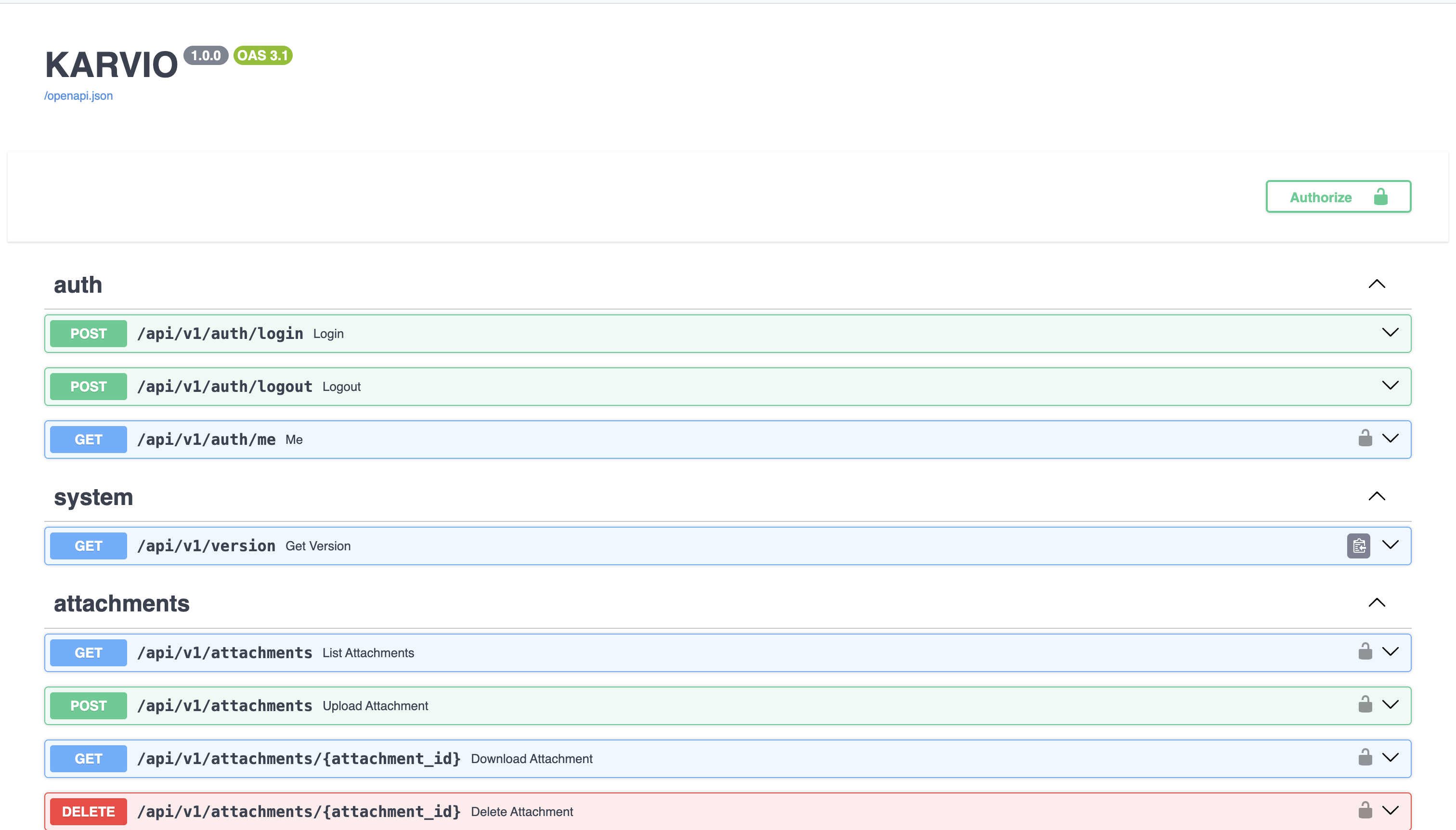
Karvio exposes OpenAPI documentation:
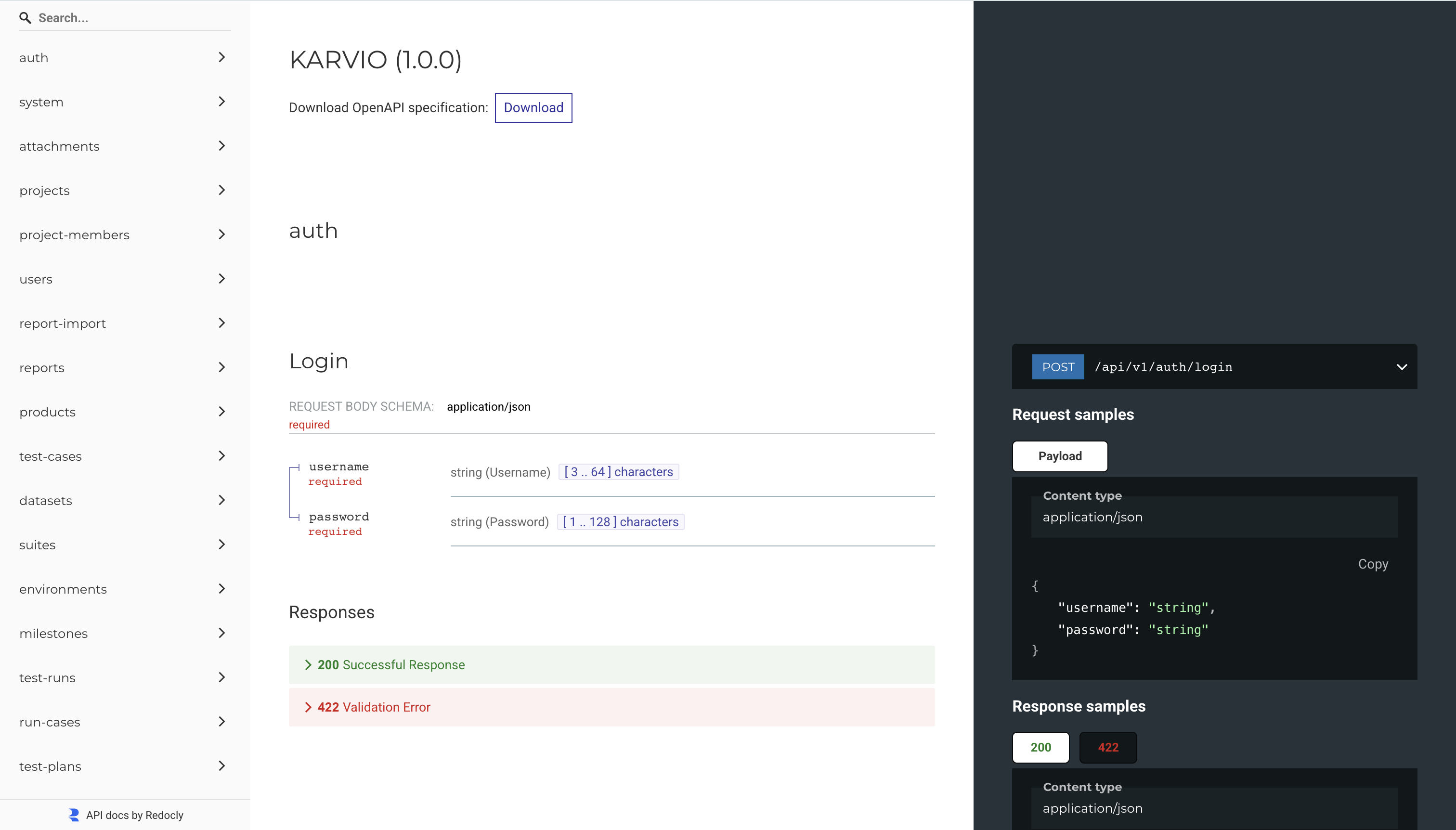
ReDoc is available at:
How to Use This Reference
Start with Authorization, then open the resource page for the data you need. Resource pages list endpoints, required permissions, request fields, response fields, status codes, retry notes, limits, and destructive-operation behavior where relevant.
Common Error Shape
Domain and validation errors use a problem-style JSON body:
{
  "type": "https://tms.local/errors/validation_error",
  "title": "Validation failed",
  "status": 422,
  "detail": "Request contains invalid fields",
  "instance": "/api/v1/example",
  "code": "validation_error",
  "request_id": "req_123",
  "errors": {
    "field": ["Field is required"]
  }
}
Common Status Codes
| Status | Meaning |
|---|---|
200 |
Read, update, validation, or export request succeeded. |
201 |
Resource was created or import record was created. |
202 |
Asynchronous work was accepted. |
204 |
Delete or cleanup request succeeded with no response body. |
400 |
Request could not be processed, often because an uploaded file could not be read. |
401 |
Authentication is missing or invalid. |
403 |
Authenticated user lacks the required project role. |
404 |
Resource was not found or is outside the user's accessible projects. |
413 |
Uploaded file exceeds the allowed size. |
415 |
Uploaded file type or extension is not allowed. |
422 |
Request validation or domain validation failed. |
Rate Limits
Karvio does not currently enforce application-level API rate limits in the backend. Deployments that need throttling should enforce it at the reverse proxy, API gateway, or load balancer layer.
Resource References
| Resource area | Reference |
|---|---|
| API keys, session login, session logout, current user | Authorization |
| Projects and project members | Projects & Members |
| Users, passwords, personal API keys | Users |
| Products, components, milestones, test plans, release scope generation | Release Scope |
| Product registry and product-component links | Products |
| Component registry, risk factors, dependency graph | Components |
| Component coverage fields on test cases | Test Case Coverage |
| Milestones and milestone summaries | Milestones |
| Test plans, generated previews, run creation | Test Plans |
| Test case catalog, steps, component coverage, bulk operations | Test Cases |
| Test runs, run cases, execution rows, JUnit import, report export | Test Runs |
| Datasets, revisions, test case dataset bindings | Datasets |
| Environments, topology, revisions | Environments |
| Attachments for cases, steps, draft steps, and run cases | Attachments |
| Overview dashboard data, exports, project-level imports | Reports & Imports |
| Performance runs, imports, comparisons, public links, artifacts | Performance |
| Audit event search | Audit Logs |
| SMTP and project notification settings | Notifications |
| Jira settings, mappings, issue links, sync | Jira Integration |
| AI test case assistant and AI settings | AI |
| Version and operational metrics | System |
Integration Checklist
Before connecting a script or CI job:
- Create a dedicated API key for the integration.
- Confirm the key owner has access only to required projects.
- Test against a non-production project first.
- Add retry handling for transient network or server errors.
- Log request method, URL, status code, and response body for failed calls.
- Avoid hard-deleting historical execution data unless the integration owns it.
- Rotate API keys periodically and revoke unused keys.