Create Test Runs
This page covers direct run creation, creation from a test plan, and project-level JUnit import.
Create a Test Run
New Run opens a modal with run metadata on the left and test case selection on the right.
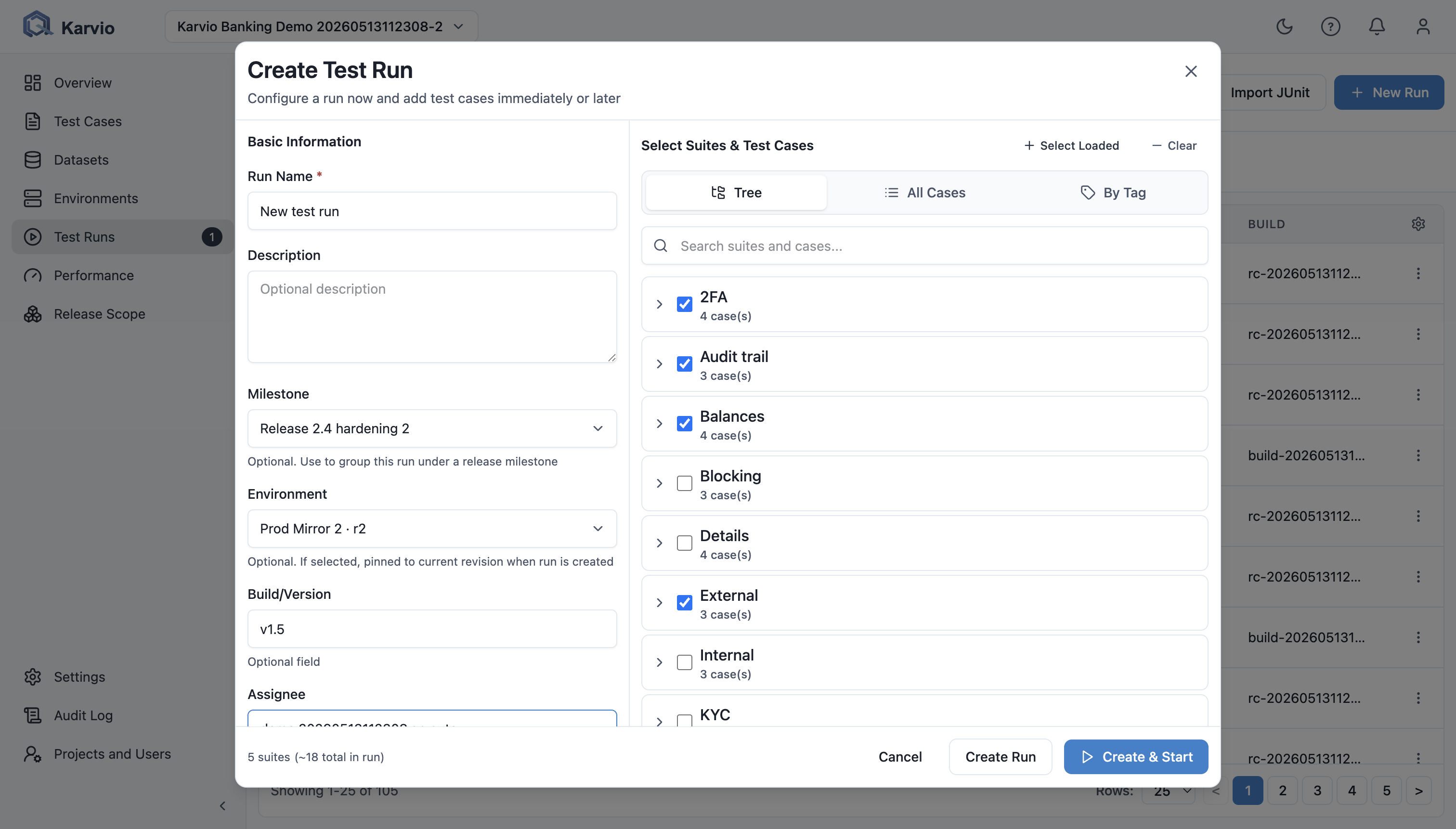
Metadata
| Field | Description |
|---|---|
Name |
Required. Include scope and build, such as Checkout Regression – RC2. |
Description |
Scope notes, exclusions, and setup assumptions. |
Environment |
Environment registry item. The run stores the current environment revision. |
Milestone |
Release, sprint, or goal for reporting. |
Build |
Version, tag, commit SHA, or release candidate. |
Assignee |
Default owner for run metadata. |
Environment is optional, but release evidence should normally include a specific environment.
Test Case Selection
Selection supports:
Treefor suites and individual cases;All Casesfor a flat list;By Tagfor tag-based selection;- search;
Select Loaded;Clear All;- load more for large catalogs.
An empty run can be created and populated later with Add Test Cases.
Create or Create and Start
Footer actions:
Createcreates anot_startedrun.Create and Startcreates the run and moves it toin_progress.
After creation, Karvio stores metadata, captures the selected environment revision, adds selected cases as run items, and creates dataset-driven rows for each run item.
Create a Run from a Test Plan
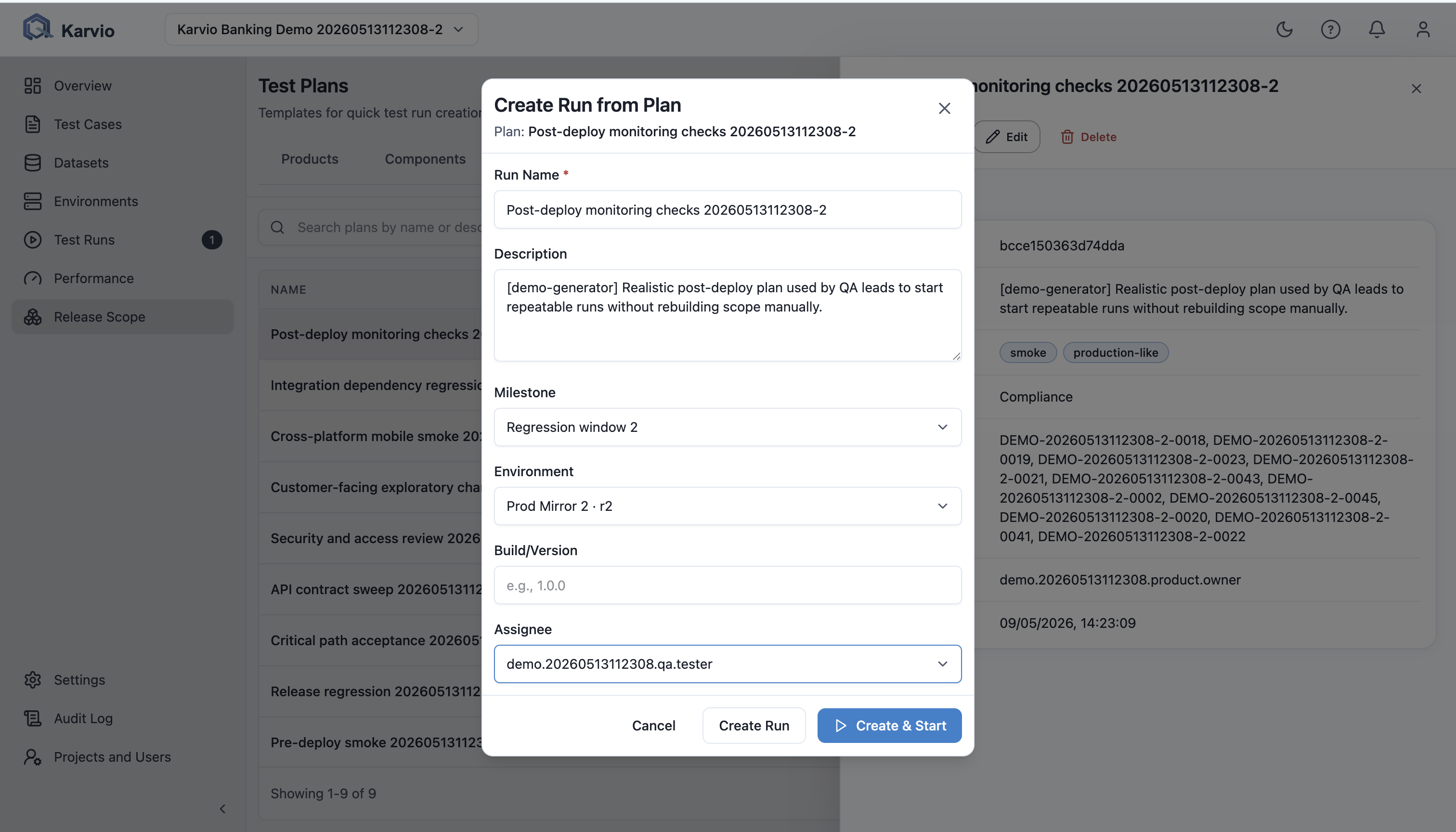
Test plans are reusable templates for recurring scope. From the Test Plans page, use Create Run from Plan.
Users provide name, description, environment, milestone, build, assignee, and start mode. Karvio resolves active cases from plan suites and explicit case selections. If a plan has no active cases, the API returns a validation error.
Project-Level JUnit Import
The Test Runs list includes Import JUnit for project-level imports.
The user selects a JUnit XML file and can enable Create missing test cases. Karvio selects or creates a target run based on report name, filename, and report timestamp, then navigates the UI to that run overview.