Create Environment
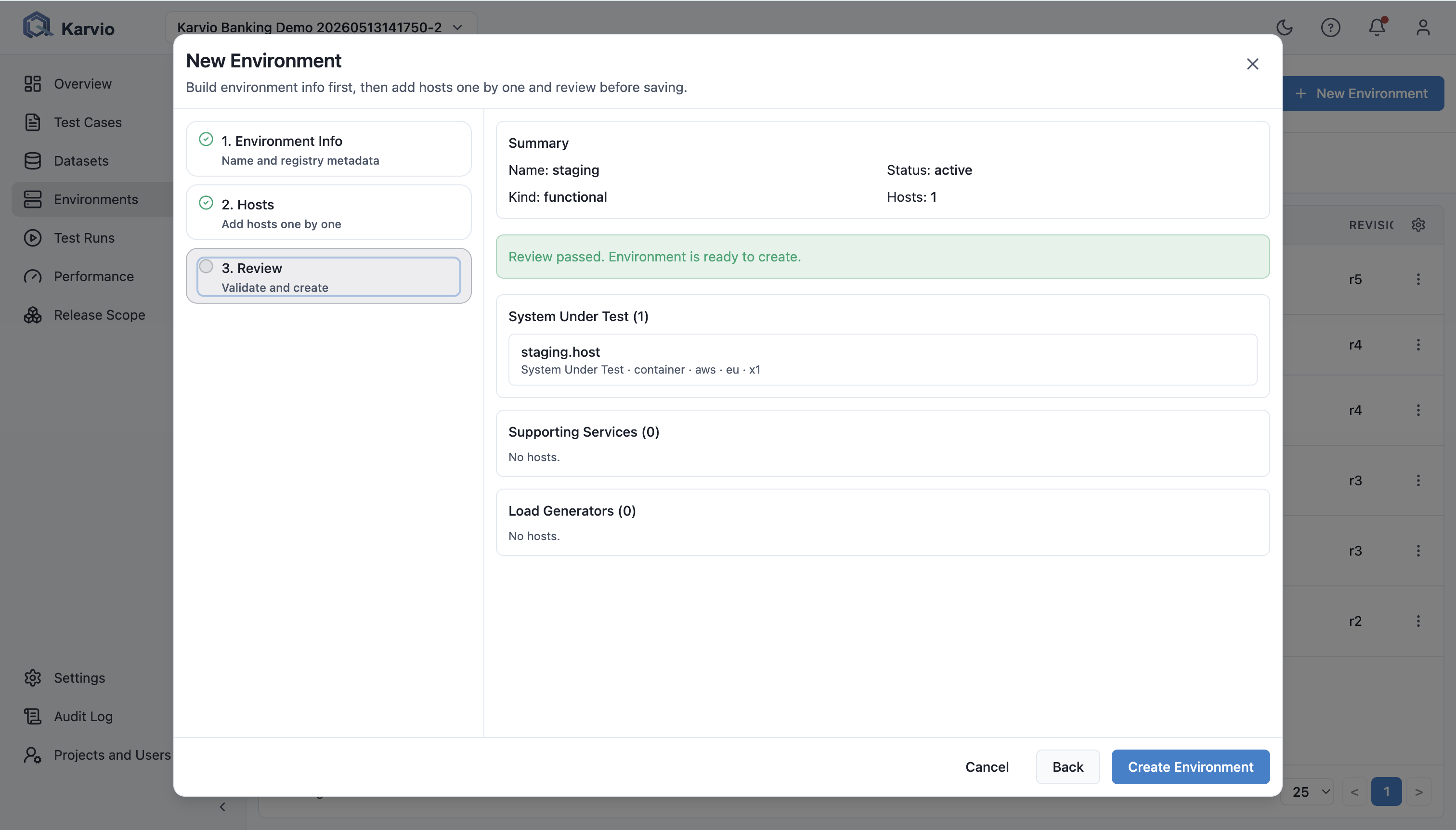
New Environment opens a three-step wizard: Environment Info, Hosts, and Review.
Environment Info
| Field | Description |
|---|---|
Name |
Required name such as staging-eu or perf-k8s-us-east. |
Status |
active, maintenance, or deprecated. |
Kind |
custom, performance, or functional. |
Use Cases |
Comma-separated uses. |
Tags |
Labels such as prod-like, k8s, or pci. |
Description |
Purpose and constraints. |
Meta (JSON) |
Structured metadata for integrations and reports. |
Extra (JSON) |
Additional data outside standard fields. |
Meta and Extra must be valid JSON objects.
Hosts and Topology
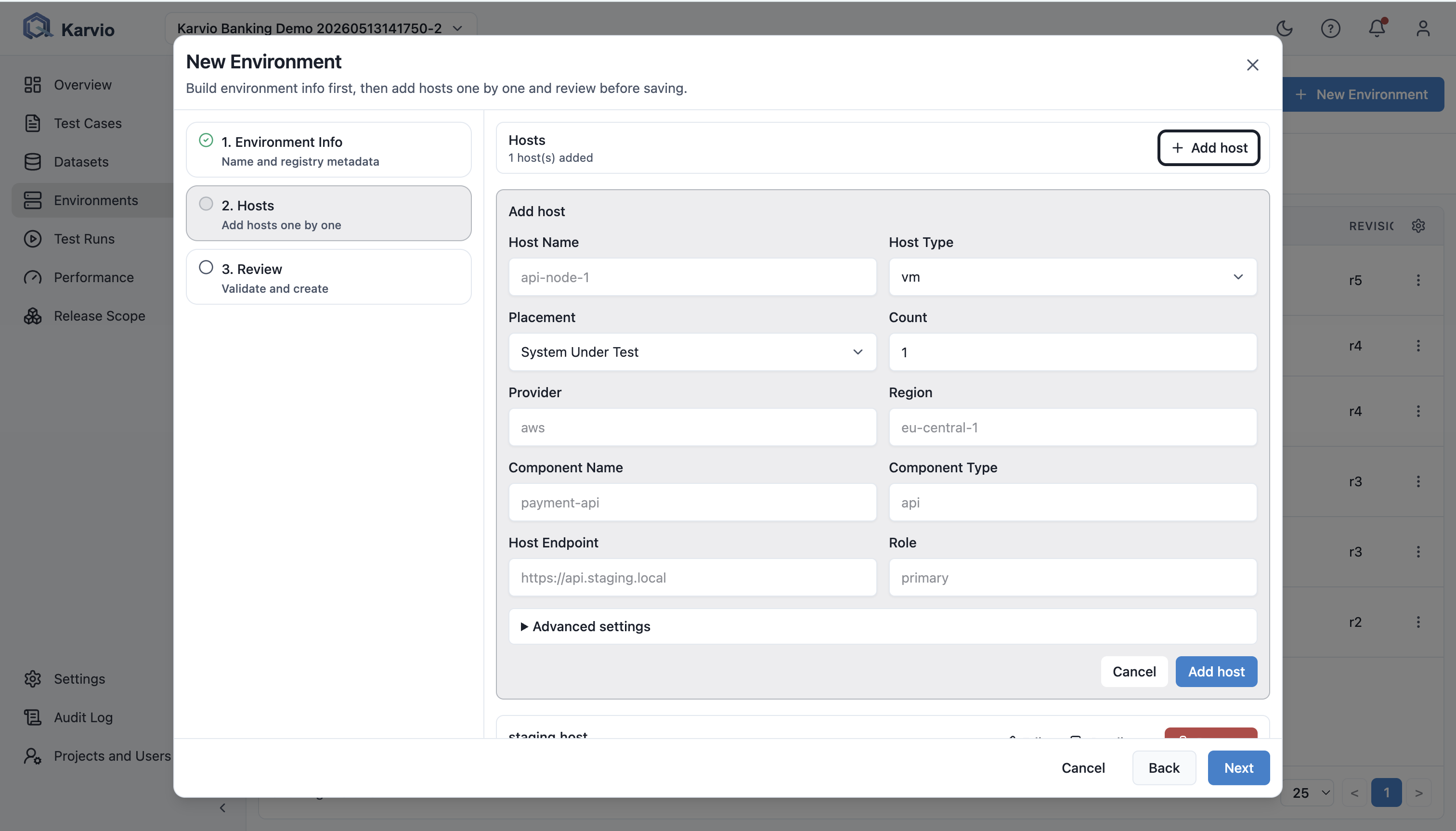
The Hosts step adds infrastructure elements one by one.
Placement
| Placement | Use When |
|---|---|
System Under Test |
Product components under direct test. |
Supporting Services |
Dependencies such as Redis, Kafka, payment sandbox, identity provider, or mocks. |
Load Generators |
Machines or containers that generate load for performance runs. |
Host Fields
Main fields include host name, host type, placement, count, provider, region, component name, component type, endpoint, and role.
Advanced fields include host tags, component tags, component endpoints, resources JSON, host metadata JSON, and component metadata JSON.
The wizard supports add, edit, duplicate, remove, duplicate-name validation, required-field validation, positive count validation, and JSON validation.
Review
The review step shows summary, validation issues, grouped hosts by placement, endpoint, and host summary.
Save is available only when name is filled, at least one host exists, host names are unique, counts are valid, and JSON fields are valid.