Key Concepts
Understanding how the main entities in Karvio relate to each other makes it easier to structure your testing workflow.
Use this page before deciding how many projects to create, how to organize suites, and how to separate reusable plans from one-time runs.
Entity Overview
Project
├── Test Cases (organized in Suites)
├── Test Plans  (reference Test Cases)
├── Test Runs   (contain Run Items – one per Test Case)
│   └── Run Items have Results (Passed / Failed / Blocked / …)
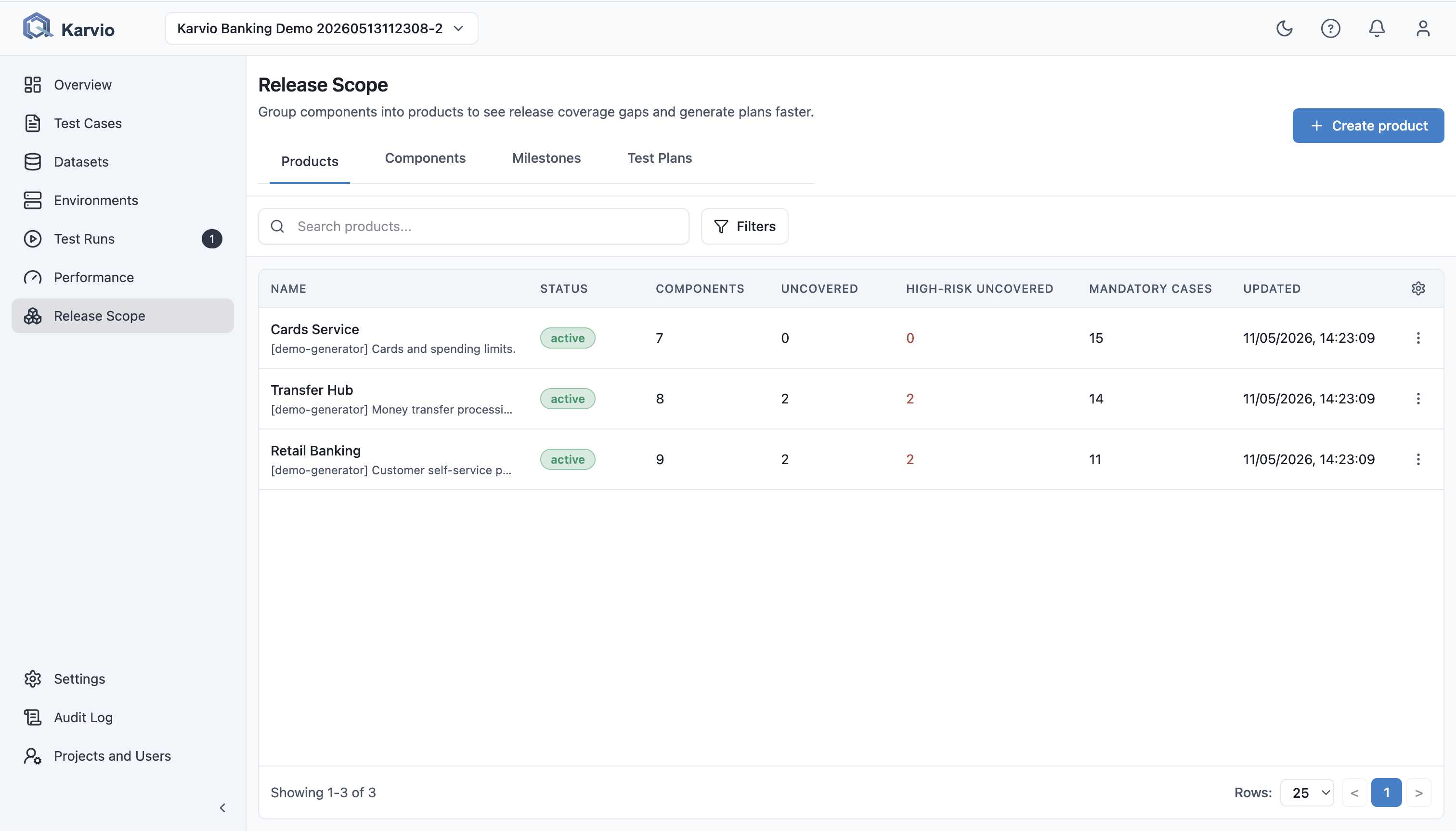
├── Release Scope
│   ├── Milestones  (group Runs and Plans by release)
│   └── Products and Components (model tested areas and risk)
├── Environments (configurations attached to Runs)
└── Performance Runs (load test results)
Projects
A project is the top-level boundary in Karvio. Test cases, runs, plans, milestones, and environments all belong to a single project. Team members are added per project with individual roles.
Use one project per product, application, or delivery stream when access, release cadence, and reporting are shared.
Test Cases and Suites
A test case describes a single piece of functionality to verify. Each test case has:
- A name and description
- A priority (Critical, High, Medium, Low)
- A set of numbered steps with expected results
- Optional tags and attachments
Suites are folders that group related test cases. You can nest suites to create a hierarchy that mirrors your application's feature structure.
Test Runs
A test run is a specific execution of test cases at a point in time – for example, "Sprint 15 smoke test on staging." When you create a run, you choose which test cases to include. Each included test case becomes a run item with its own result.
A run is typically linked to:
- An Environment – the platform or configuration being tested
- A Milestone – the release or sprint it belongs to
- A Build – the version or commit under test
Test Plans
A test plan is a saved selection of test cases that can be used to create runs quickly. Instead of manually selecting test cases every time, you create a plan once and generate runs from it.
Plans are useful for recurring scopes such as regression suites, smoke tests, UAT, and release acceptance.
Milestones
A milestone represents a release, sprint, or any time-boxed testing goal. Linking runs to milestones lets you see all testing activity for a given release in one place and track completion percentage. Milestones are managed inside Release Scope.
Environments
An environment captures the configuration details of a test target – for example, "Production EU" or "Staging (Chrome/Windows)." Environments support revisions so you can track configuration changes over time.
Datasets
A dataset is a set of parameterized data rows that can be bound to test cases. This enables data-driven testing where the same test case is executed with different input values.
Products and Components
Products represent the applications or services your team tests. Each product can have multiple components with individual risk levels (Critical, High, Medium, Low) and dependencies. This hierarchy helps you organize test ownership and risk-based coverage. Products and components are managed inside Release Scope.
Performance Runs
A performance run stores the outcome of a load or performance test, including uploaded artifacts (JMeter reports, LoadRunner outputs, etc.). Runs have a verdict (Pass / Fail / Inconclusive) and can be compared across executions.
Roles and Permissions
Access in Karvio is controlled at the project level. Each member of a project is assigned a role that determines which actions they can perform. System administrators can manage all projects and users.
Recommended Modeling Patterns
| Scenario | Recommended model |
|---|---|
| One web product with several feature teams | One project, suites by product area, products/components for risk ownership. |
| Separate mobile and web apps with different release cycles | Separate projects if access, releases, or reporting must be isolated. |
| Same regression scope repeated every sprint | One test plan linked to the sprint milestone, then one run per build or environment. |
| Same case with many data combinations | One test case bound to a dataset instead of many duplicated cases. |
| Cross-browser or cross-platform checks | One test case, multiple runs or environments, with build and environment metadata captured per run. |
| Automation results from CI | Import JUnit XML into a run so automated and manual evidence share the same release context. |
Naming Recommendations
Use names that remain meaningful in reports and audit history:
| Object | Recommended format | Example |
|---|---|---|
| Suite | Stable feature area | Checkout / Payment Methods |
| Test case | Behavior under test | Guest user can complete card payment |
| Test plan | Reusable scope | Web Full Regression |
| Test run | Scope + build or cycle | Sprint 24 Regression – RC2 |
| Milestone | Release or delivery unit | 2026.05 Release |
| Environment | Target + platform | Staging EU – Chrome Windows |